
Waveshare
Waveshare USB to CAN Adapter Model A, STM32 CAN Bus Converter, Multi-Mode USB CAN Interface, Multi-OS Support - RS8324
Waveshare USB to CAN Adapter Model A, STM32 CAN Bus Converter, Multi-Mode USB CAN Interface, Multi-OS Support - RS8324
SKU:RS8324
13 in stock
Couldn't load pickup availability
- For Bulk Order Click Here
- Need Customer Support?
- Free Delivery Above 999/-
Note: In case you receive a damaged or faulty product, please return it in the original box with all foam and packaging. Returns will not be accepted if further damage occurs due to improper packing.
If you order a product that is currently in Preorder, and the price of that item increases in the future, you will be required to pay the difference in price.
For refund/return/replacement, call us at +91 95995 94520 or email us at support@rees52.com
Delivery Time
Delivery Time
- Delivery time with the Express Shipping option is 2-3 working days, and with the Standard Shipping option is 5-6 working days. It varies based on location, reliant on courier services.
- Delivery time if the order item is on Preorder Status is 15-20 working days.
COD (Cash on Delivery)
COD (Cash on Delivery)
- For COD you have to pay extra charges of Rs 350/- before the shipment. (We will share the company QR Code, UPI ID or Account details for the same)
Description:
USB to CAN Adapter Model Collects data from CAN bus to PC via USB for transceiver control, data analysis, acquisition, and monitoring of CAN bus networks. Adopts the original STM32F103 chip, stable and reliable communication
It Supports 4 working modes: normal mode, loopback mode, silent mode, and silent loopback mode. Supports multiple CAN data sending modes: single frame, multiple frames, manual, regular, and cyclic sending. Supports multiple CAN data receiving modes: can be configured to only receive data from a certain ID or specify an ID to automatically answer the configured data.
CAN Baud Rate Is Configurable In The Range Of 5Kbps-1Mbps. Supports Windows XP/7/8/10/11 and Linux systems such as Raspberry Pi OS and Ubuntu under Jetson Nano, and supports secondary development.

Features:
- Supports CAN2.0A (standard frame) and CAN2.0B (extended frame)
- CAN baud rate is configurable in the range of 5Kbps-1Mbps
- Supports 4 working modes: normal mode, loopback mode, silent mode, silent loopback mode


- Supports multiple CAN data sending modes: single frame, multiple frames, manual, regular, and cyclic sending
- Supports multiple CAN data receiving modes: can be configured to only receive data from a certain ID or specify an ID to automatically answer the configured data
- Data can be saved as TXT or Excel

- Supports CAN bus detection for status checking
- Sending/receiving CAN data with a time scale allows sequential displaying
- The baud rate of the USB virtual COM port is configurable in the range of 9600 ~ 2000000 bps (2000000 bps by default)
- Supports setting working parameters by configuration software or serial command; can be saved after power off
- Adopts STM32 chip solution, stable and reliable communication
- Onboard TVS (Transient Voltage Suppressor) effectively suppresses surge voltage and transient spike voltage in the circuit
- Comes with master computer software for the Windows system, easy to use
- Easy secondary development; just need to modify the sending and receiving commands


Pin Description:

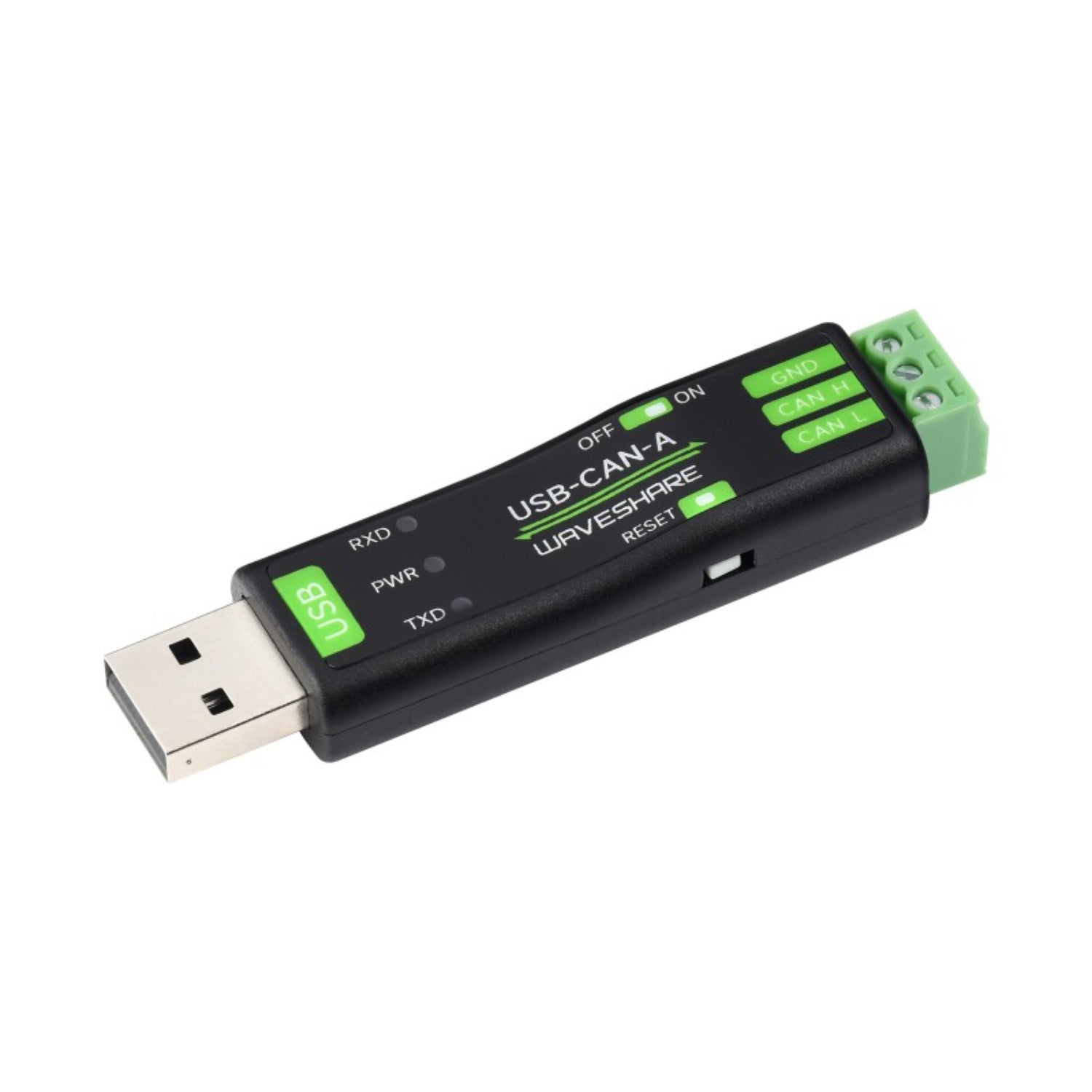
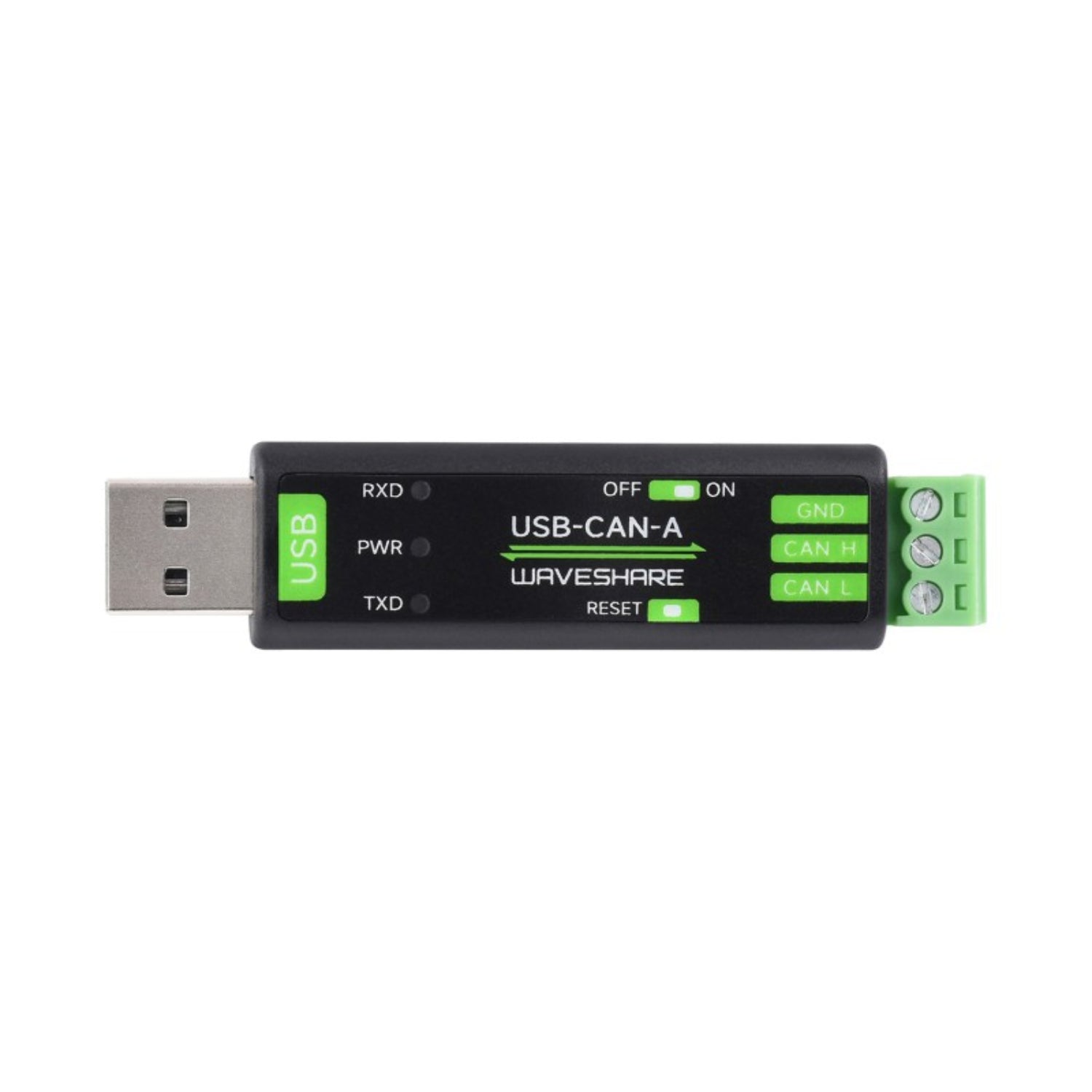
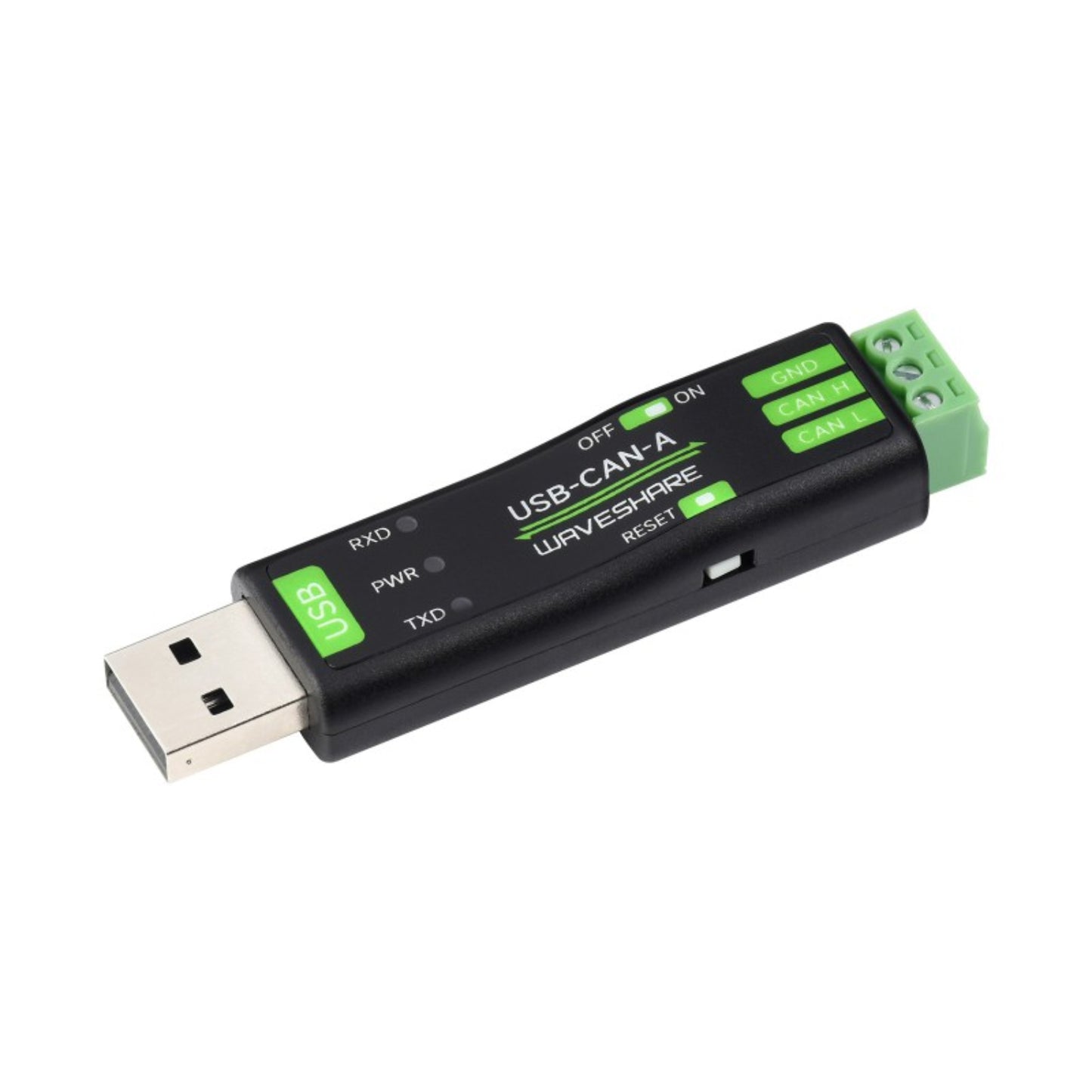
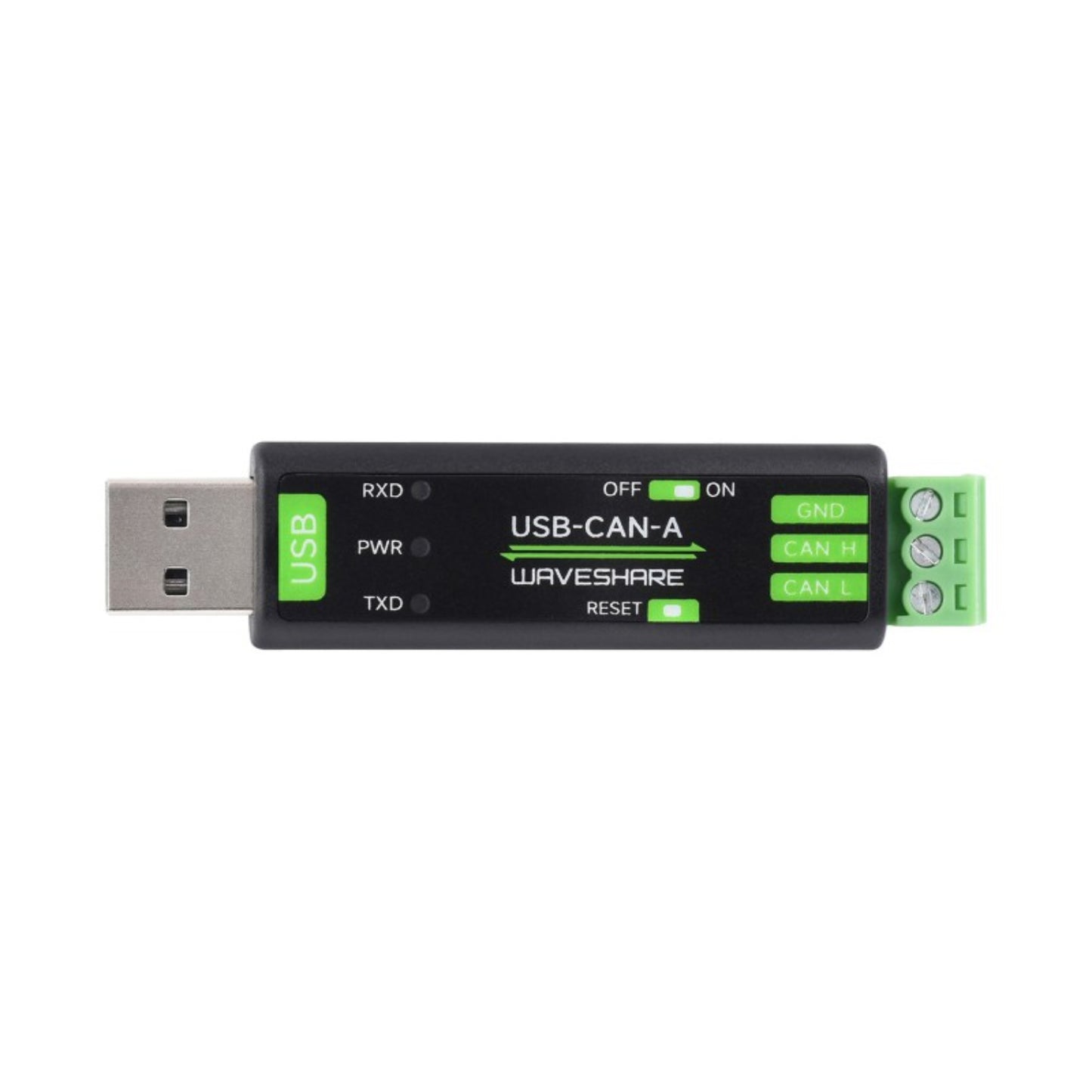
- TX: Blinks when CAN is sending data
- PWR: Power indicator, Lights up red when the USB port is connected
- RX: Blinks when receiving the data
- Reset Button: press before power on then release after power on to restore factory settings
- 120Ω resistor Switch: Switch to the CAN terminal side to enable the 120Ω resistor, switch to the other side to disable
Useful Link:
Waveshare USB To CAN Adapter Model A
Package Included:
- 1 x Waveshare USB To CAN Adapter Model A
- 1 x USB Cable (~1.5 m)
- 1 x Screwdriver