
Skip to product information
1 of 2

Generic

Mastech MAS830L Digital Pocket Multimeter, Colour May Vary (Yellow or Green) Copy - RS593

Mastech MAS830L Digital Pocket Multimeter, Colour May Vary (Yellow or Green) Copy - RS593

SKU:RS593

In stock

Regular price Rs. 799.00
Sale price Rs. 799.00 Regular price
Sold out
Shipping calculated at checkout.

Note: In case you receive a damaged or faulty product, please return it in the original box with all foam and packaging. Returns will not be accepted if further damage occurs due to improper packing.

If you order a product that is currently in Preorder, and the price of that item increases in the future, you will be required to pay the difference in price.

For refund/return/replacement, call us at +91 95995 94520 or email us at support@rees52.com

Delivery Time

  • Delivery time with the Express Shipping option is 2-3 working days, and with the Standard Shipping option is 5-6 working days. It varies based on location, reliant on courier services.

  • Delivery time if the order item is on Preorder Status is 15-20 working days.

COD (Cash on Delivery)

  • For COD you have to pay extra charges of Rs 350/- before the shipment. (We will share the company QR Code, UPI ID or Account details for the same)

The REES52 Promise

We want you to build, not worry. Here is exactly what happens if something goes wrong with your order.

Dead on arrival or defective? We replace it.

If your item is dead on arrival or has a manufacturing defect, tell us within 7 days of delivery. Email support@rees52.com with your order number and a short video or a couple of photos showing the problem. Our team will get back to you within 24 hours and arrange a free pickup from your doorstep - you never pay return shipping for a defective item. Once we verify the issue, your replacement ships out right away. If the item is out of stock, you get a full refund instead.

Refunds, with real timelines.

  • Approved refunds go back to your original payment method within 6-7 working days.
  • Missing item in your package? Tell us within 7 days with photos of what arrived and the parcel label. Once confirmed, the refund for the missing item reaches you in 2-3 working days - or we ship the missing piece free, your choice.
  • Every refund comes with a reference number by email or WhatsApp, so you can track it with your bank instead of chasing us.

Wrong item or not as described?

Email us your order number and a photo of what you received. We arrange the return pickup, and ship the correct item as soon as the return is on its way. Prefer your money back instead? That is fine too - full refund, same 6-7 working day timeline.

About lead times on some products.

A few items on rees52.com are sourced from our overseas partner warehouses and are not sitting on our shelf. Those products show a lead time of about 20-25 working days on the product page, before you pay. If you order one, we keep you posted as it moves. Changed your mind while waiting? You can cancel any time before dispatch and get a full refund within 6-7 working days. No cancellation fee, no questions.

Talk to a human.

Email support@rees52.com or call/WhatsApp +91 95995 94520, Monday to Saturday, 10:30 AM to 7:00 PM. Real people, order number in hand, actual answers.
View full details
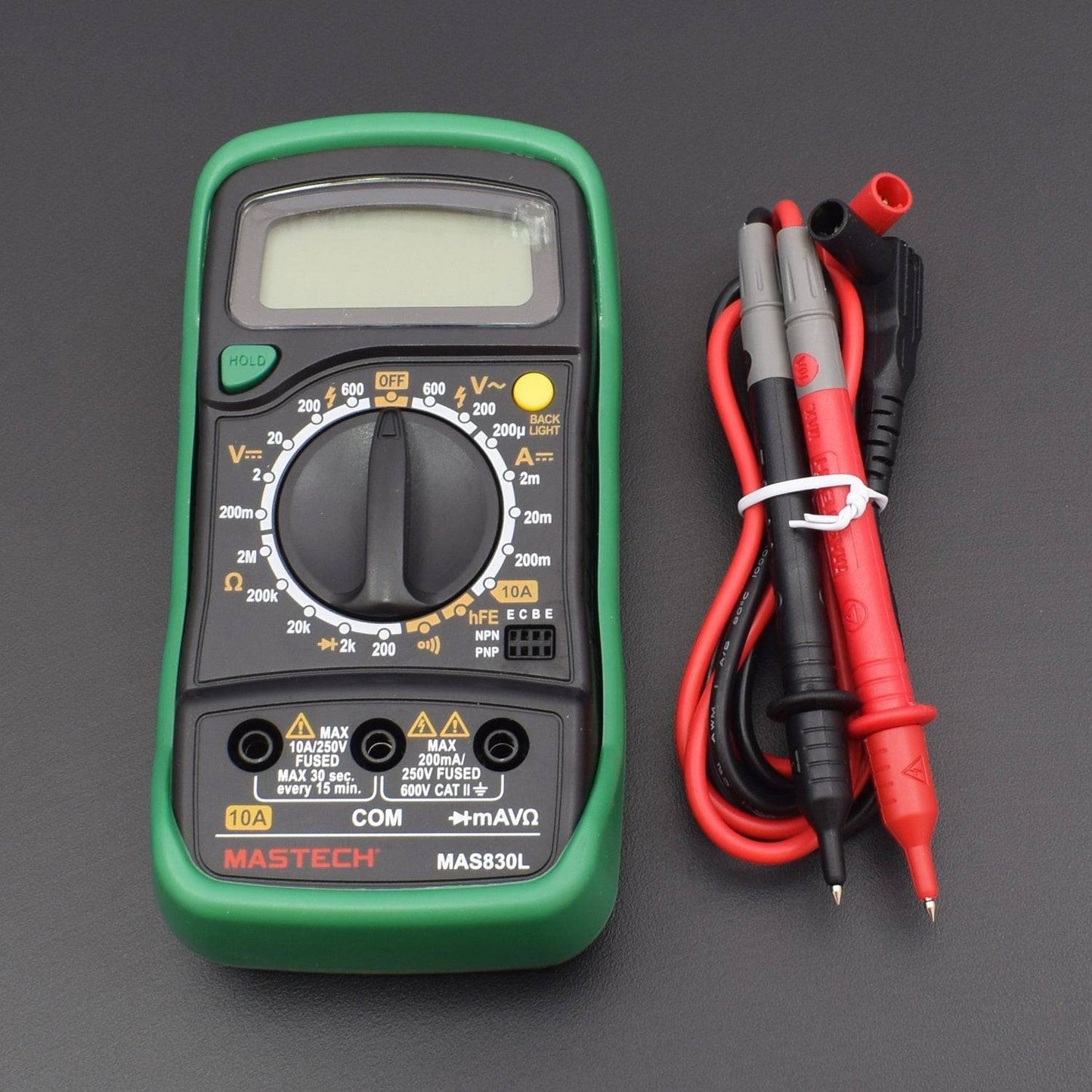
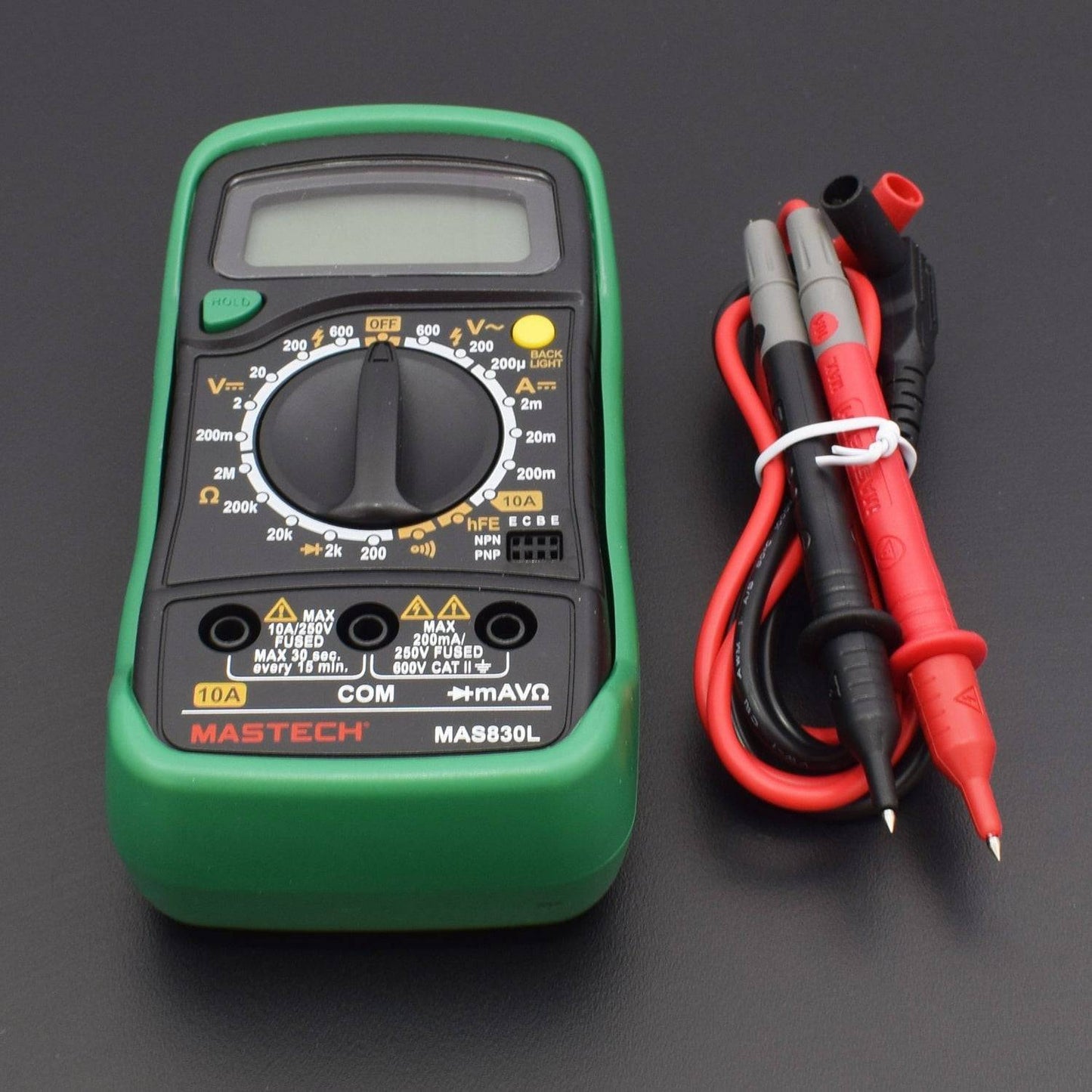
  • The meter is a handheld digital multimeter for measuring DC and AC voltage, DC current, resistance, diode and transistor with battery operated.
  • Display: Blue backlight LCD, 1999 counts, updates 2-3/sec.
  • Measuring Method: Dual-slope integration A/D converter.
  • Storage Temperature: -10 degree Celsius to 50 degree Celsius.
  • Fuse Protection: 200mA/250V.

DESCRIPTION

Mastech MAS830L Digital Pocket Multimeter

Safety Measures for MAS830L: Failing these Precautions May Lead to Instrument Damage
  • Always make sure the Test Probes are fitted in the correct sockets (Especially while measuring AC Voltage )
  • Please choose the correct measuring option before you connect the probe. (As a thumb rule always choose the greater value and decrease if required)
  • While measuring current, make sure to put the Red Probe in the “10A” socket and the measuring connection should be in “Series”
  • While measuring all other parameters other than Current (Ampere), the measuring connection should be in “Parallel”
  • If by mistake a wrong connection or option is selected and the measurement is initiated, the instrument will Blink / Beep. Remove the connections immediately to restrict the damage to a minimum
  • The instrument can only be used in conjunction with the probe for compliance with safety standards. If the probe needs replacing due to damage, the replacement must be of the same type or the same electrical specifications
  • Do not exceed the input limits specified for each range
  • When the instrument is measuring, do not touch the input terminal, not in use
  • When a measurement range is uncertain, turn the function/range switch to the maximum range position

CONTINUITY TESTING

A continuity test tells us whether two things are electrically connected.
  • To begin, make sure no current is running through the circuit or component you want to test. Switch it off, unplug it from the wall, and remove any batteries.
  • Plug the black probe into the COM port on your multimeter.
  • Plug the red probe into the VΩmA port.
  • Switch on your multimeter, and set the dial to continuity mode (indicated by an icon that looks like a sound wave or wifi).
  • To complete your continuity test, place one probe at each end of the circuit or component you want to test.
  • If your circuit is continuous, the screen displays a value of zero (or near zero), and the multimeter beeps.
  • If the screen displays 1 or OL (open loop), there's no continuity—that is, there's no path for electric current to flow from one probe to the other.
  • In the case of a Diode, continuity will be shown only in one direction and not in another.

DC VOLTAGE MEASUREMENT

  • Plug the black probe into the COM port on your multimeter.
  • Plug the red probe into the VΩmA port.
  • Switch on your multimeter, and set the dial to DC voltage mode (indicated by a V with a straight line, or the symbol ⎓).
  • Set the correct range for the voltage you expect to measure. Each setting on the dial lists the maximum voltage it can measure. So for example, if you expect to measure more than 2 volts but less than 20, use the 20-volt setting. If you're not sure, start with the highest setting.
  • Place the Probes on the Voltage Source.
  • If the range is set too high, the multimeter may not show an accurate reading. Turn the dial to a lower range to get a better reading.
  • If the range is set too low, the multimeter simply reads 1 or OL, indicating that it is overloaded or out of range. Disconnect the circuit immediately and increase the range through Dial.

RESISTANCE TESTING

  • To begin, make sure no current is running through the circuit or component you want to test. Switch it off, unplug it from the wall, and remove any batteries.
  • Plug the black probe into the COM port on your multimeter.
  • Plug the red probe into the VΩmA port.
  • Switch on your multimeter, and set the dial to resistance mode indicated by the Ω symbol.
  • Set the correct range for the resistance you expect to measure. If you're not sure, start with the highest setting.
  • Place the probe on the two ends of the product for which you want to measure the resistance.
  • If your multimeter reads close to zero, the range is set too high for a good measurement. Turn the dial to a lower setting.
  • If you set the range too low, the multimeter simply reads 1 or OL, indicating that it is overloaded or out of range. . Disconnect the circuit immediately and increase the range through Dial.

PACKAGE INCLUDED

1 x Mastech MAS830L Digital Pocket Multimeter