


vendor-unknown
Display different colors using Mini Two Color using a Server Application - KT608
Display different colors using Mini Two Color using a Server Application - KT608
SKU:KT608
1000 in stock
Couldn't load pickup availability
- For Bulk Order Click Here
- Need Customer Support?
- Free Delivery Above 999/-
Note: In case you receive a damaged or faulty product, please return it in the original box with all foam and packaging. Returns will not be accepted if further damage occurs due to improper packing.
If you order a product that is currently in Preorder, and the price of that item increases in the future, you will be required to pay the difference in price.
For refund/return/replacement, call us at +91 95995 94520 or email us at support@rees52.com
Delivery Time
Delivery Time
- Delivery time with the Express Shipping option is 2-3 working days, and with the Standard Shipping option is 5-6 working days. It varies based on location, reliant on courier services.
- Delivery time if the order item is on Preorder Status is 15-20 working days.
COD (Cash on Delivery)
COD (Cash on Delivery)
- For COD you have to pay extra charges of Rs 350/- before the shipment. (We will share the company QR Code, UPI ID or Account details for the same)
The REES52 Promise
The REES52 Promise
We want you to build, not worry. Here is exactly what happens if something goes wrong with your order.
Dead on arrival or defective? We replace it.
If your item is dead on arrival or has a manufacturing defect, tell us within 7 days of delivery. Email support@rees52.com with your order number and a short video or a couple of photos showing the problem. Our team will get back to you within 24 hours and arrange a free pickup from your doorstep - you never pay return shipping for a defective item. Once we verify the issue, your replacement ships out right away. If the item is out of stock, you get a full refund instead.
Refunds, with real timelines.
- Approved refunds go back to your original payment method within 6-7 working days.
- Missing item in your package? Tell us within 7 days with photos of what arrived and the parcel label. Once confirmed, the refund for the missing item reaches you in 2-3 working days - or we ship the missing piece free, your choice.
- Every refund comes with a reference number by email or WhatsApp, so you can track it with your bank instead of chasing us.
Wrong item or not as described?
Email us your order number and a photo of what you received. We arrange the return pickup, and ship the correct item as soon as the return is on its way. Prefer your money back instead? That is fine too - full refund, same 6-7 working day timeline.
About lead times on some products.
A few items on rees52.com are sourced from our overseas partner warehouses and are not sitting on our shelf. Those products show a lead time of about 20-25 working days on the product page, before you pay. If you order one, we keep you posted as it moves. Changed your mind while waiting? You can cancel any time before dispatch and get a full refund within 6-7 working days. No cancellation fee, no questions.
Talk to a human.
Email support@rees52.com or call/WhatsApp +91 95995 94520, Monday to Saturday, 10:30 AM to 7:00 PM. Real people, order number in hand, actual answers.
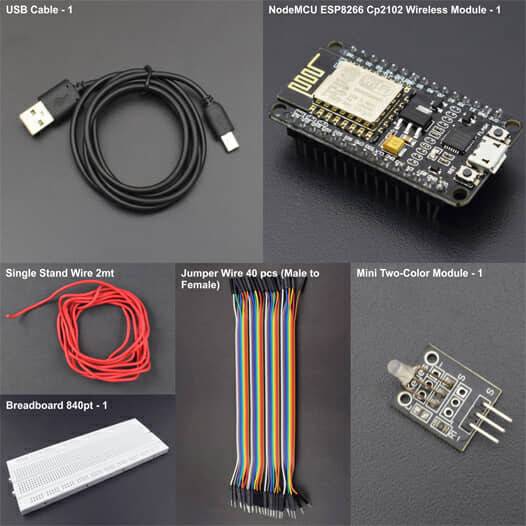

Hardware Required
- USB Cable - 1
- NodeMCU ESP8266 Cp2102 Wireless Module - 1
- Mini Two-Color Module - 1
- Bread Board 840 Point - 1
- Jumper Wire (male to female) - 40 pcs
- Single Stand Wire - 1
Introduction
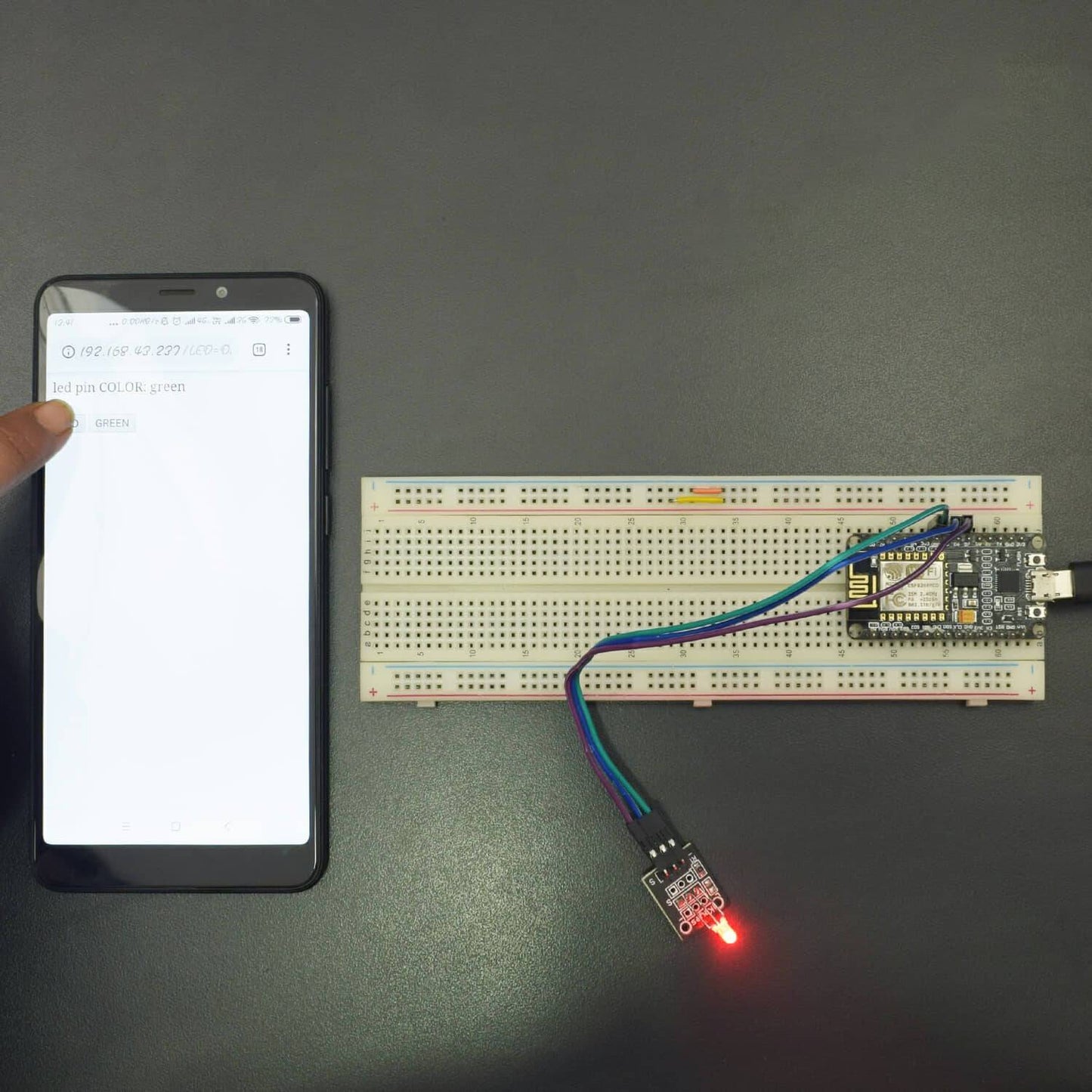
In this project, we will control the Mini two color LED module using NodeMCU using Application.
HARDWARE REQUIRED
- USB Cable - 1
- NodeMCU ESP8266 Cp2102 Wireless Module - 1
- Mini Two-Color Module - 1
- Bread Board 840 Point - 1
- Jumper Wire (male to female) - 40 pcs
- Single Stand Wire - 1
SOFTWARE REQUIRED
Arduino IDE 1.8.5 (programmable platform for Arduino)
Click To Download :https://www.arduino.cc/en/Main/Software

SPECIFICATIONS
Mini Two-Color Module
This LED contains two light emitting diodes. One pin is the GND and the other two are for a red and green LED. By powering both GND and one of the pins you can see one of the colors. You can also power GND and both pins at the same time to mix the color and get a yellow/orange color.

NodeMCU ESP8266 Cp1202 Wireless Module
ESP8266EX offers a complete and self-contained Wi-Fi networking solution; it can be used to host the application or to offload Wi-Fi networking functions from another application processor. When ESP8266EX hosts the application, it boots up directly from an external flash. In has integrated cache to improve the performance of the system in such applications.
- NodeMCU ESP-12E dev board can be connected to 5Vusing micro USB connector or VIN pin available on board.
- The I/O pins of ESP8266 communicate or input/output max 3.3V only. I.e. the pins are NOT 5V tolerant inputs.
- In case you have to interface with 5V I/O pins, you need to use level conversion system (either built yourself using resistor voltage divider or using ready to use level converters.

ESP8266 NodeMcu Installation
STEP- 1 Installing Arduino Core for NodeMCU ESP-12E Using Arduino Boards Manager
As shown in the image, Copy the .json link with the latest stable release of NodeMCU package from
https://github.com/esp8266/Arduino#installing-with-boards-manager
The link should look something like this-
http://arduino.esp8266.com/stable/package_esp8266com_index.json

Step 2: Insert Link for .json NodeMCU Package Files into Arduino IDE
Paste the copied link and insert it in Arduino IDE using following sequence-
File -> Menu -> Preferences
Paste copied the link into the area shown in the black box in the above image. Close and restart the Arduino IDE.

Step 3: Tools - Boards Manager

Tools -> Boards manager and search for ESP8266 and install the libraries/files given under heading ESP8266 by ESP community.
Restart the Arduino IDE once again.

Troubleshooting:
If you get an error as shown in image below:

Just go back to Preferences, as shown in step-2 image.
- Here, you can see the location (Marked with red box) C:UsersREES52.COMAppDataLocalArduino15preferences.txt
- Go to this location and delete all JSON Packages from Arduino15 folder. Now, Back to Board Manager and search for ESP8266 you will surely find.
Step 4: Selecting NodeMCU Board in Arduino IDE

Go to Tools -> Boards (scroll down the list of boards) - Select NodeMCU 1.0 (ESP-12EModule).
Select the Port number at which you have connected NodeMCU. Rest of the settings can be left to default values.

CIRCUIT CONNECTION
- Connect Pin Red of Mini Two color Sensor with Pin D6 (GPIO 12) of NodeMCU.
- Connect GND of Mini Two color Sensor with GND of NodeMCU
- Connect Pin Green of Mini Two color Sensor with Pin D7 (GPIO 13) of NodeMCU.

CODE
https://drive.google.com/open?id=1bAL60jd2cuIzMSUJdgOb_6Yrd6zznYzJ
WORKING
Welcome to the NodeMCU Based Project which consists of the Mini Two Color Sensor Module. The basic working of the circuit is being described here. This module displays two colors Red and Green and also different variants of both colors mixed. After all, connections are done appropriately, then upload the code and open the Serial monitor. Now, copy and paste the given IP on Browser of Phone/System. Now, you can access the application.
