


Adafruit
Adafruit Circuit Playground Classic ATmega32u4 Development Board - IR0000516
Adafruit Circuit Playground Classic ATmega32u4 Development Board - IR0000516
SKU:IR0000516
Earn an estimated 23 points on this order
Found a better price?
Send the competitor link and price to our team. No automatic price match.
Couldn't load pickup availability
- For Bulk Order Click Here
- Need Customer Support?
- Free Delivery Above 999/-
Note: In case you receive a damaged or faulty product, please return it in the original box with all foam and packaging. Returns will not be accepted if further damage occurs due to improper packing.
If you order a product that is currently in Preorder, and the price of that item increases in the future, you will be required to pay the difference in price.
For refund/return/replacement, call us at +91 95995 94520 or email us at support@rees52.com
Delivery Time
Delivery Time
- Delivery time with the Express Shipping option is 2-3 working days, and with the Standard Shipping option is 5-6 working days. It varies based on location, reliant on courier services.
- Delivery time if the order item is on Preorder Status is 20-25 days.
COD (Cash on Delivery)
COD (Cash on Delivery)
Cash on Delivery is currently unavailable for new orders
Existing COD Orders Only
- For COD you have to pay extra charges of Rs 350/- before the shipment. (We will share the company QR Code, UPI ID or Account details for the same)
The REES52 Promise
The REES52 Promise
We want you to build, not worry. Here is exactly what happens if something goes wrong with your order.
Dead on arrival or defective? We replace it.
If your item is dead on arrival or has a manufacturing defect, tell us within 7 days of delivery. Email support@rees52.com with your order number and a short video or a couple of photos showing the problem. Our team will get back to you within 24 hours and arrange a free pickup from your doorstep - you never pay return shipping for a defective item. Once we verify the issue, your replacement ships out right away. If the item is out of stock, you get a full refund instead.
Refunds, with real timelines.
- Approved refunds go back to your original payment method within 6-7 working days.
- Missing item in your package? Tell us within 7 days with photos of what arrived and the parcel label. Once confirmed, the refund for the missing item reaches you in 2-3 working days - or we ship the missing piece free, your choice.
- Every refund comes with a reference number by email or WhatsApp, so you can track it with your bank instead of chasing us.
Wrong item or not as described?
Email us your order number and a photo of what you received. We arrange the return pickup, and ship the correct item as soon as the return is on its way. Prefer your money back instead? That is fine too - full refund, same 6-7 working day timeline.
About lead times on some products.
A few items on rees52.com are sourced from our overseas partner warehouses and are not sitting on our shelf. Those products show a lead time of about 20-25 working days on the product page, before you pay. If you order one, we keep you posted as it moves. Changed your mind while waiting? You can cancel any time before dispatch and get a full refund within 6-7 working days. No cancellation fee, no questions.
Talk to a human.
Email support@rees52.com or call/WhatsApp +91 95995 94520, Monday to Saturday, 10:30 AM to 7:00 PM. Real people, order number in hand, actual answers.


Adafruit Circuit Playground Classic
Explore lights, sound, motion and touch on one round development board. Circuit Playground Classic combines an ATmega32u4 microcontroller running at 8MHz and 3.3V with ten RGB NeoPixels, a speaker, buttons and onboard sensors. Large plated pads around the edge let you connect alligator clips or conductive thread for experiments, classroom activities and wearable prototypes.
Use Arduino IDE or code.org CS Discoveries with the maker's setup instructions. Native USB supports programming and supported USB device projects, including keyboard, mouse, serial and MIDI applications. The onboard sensors reduce the number of separate modules needed to try interactive ideas.
Choose the correct Circuit Playground
This is the ATmega32u4 Classic, not Circuit Playground Express or Bluefruit. It is intended for Arduino IDE and code.org, not CircuitPython or MakeCode. It does not have the Express model's SAMD21 processor or 2MB external SPI flash, and it has no onboard Bluetooth radio.
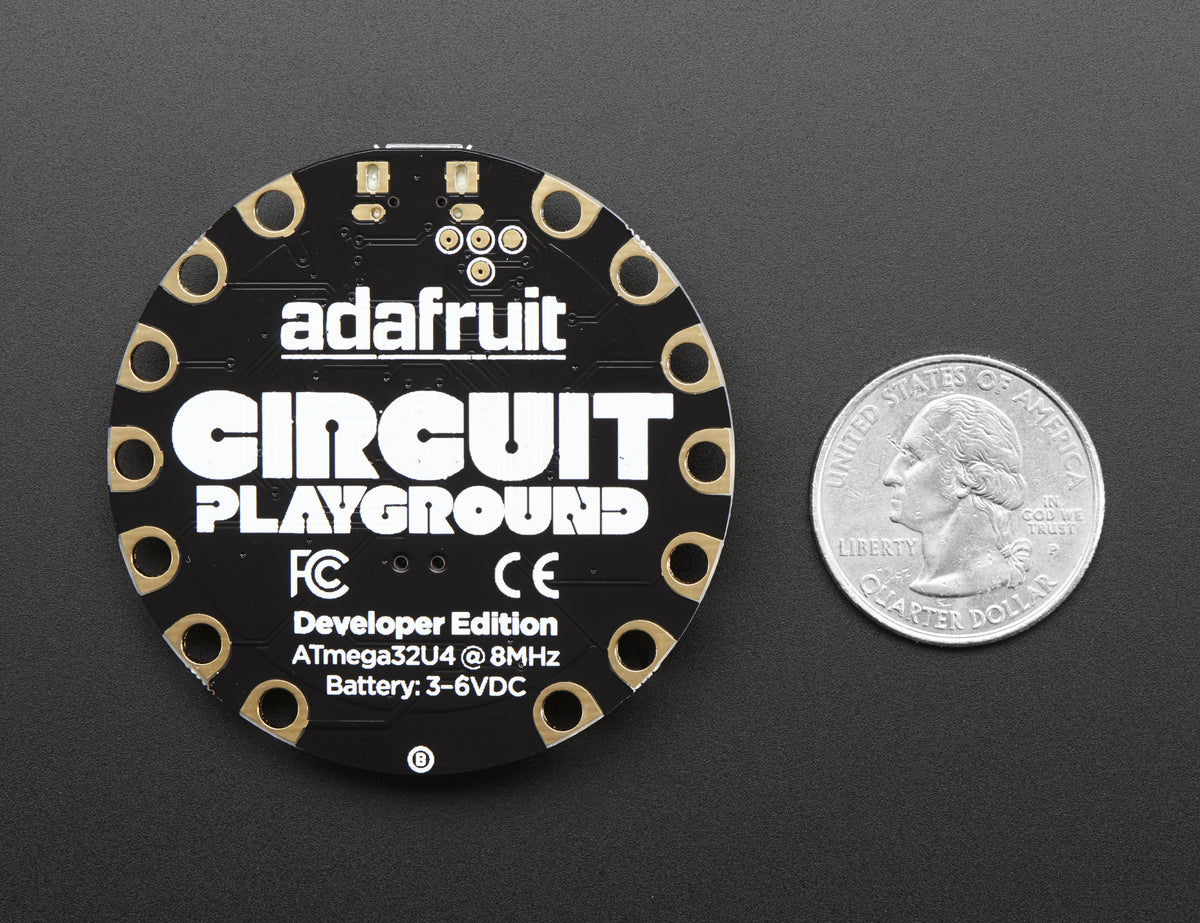
Rear label variation: some licensed photos show the earlier Developer Edition wording. Adafruit's official product revision history states that the August 2017 change added the Classic rear silkscreen and that the hardware was otherwise identical. Photos illustrate that earlier label; a particular rear marking is not promised.
Application photographs are examples, not a kit. Only one Circuit Playground Classic board is supplied. The USB cable, coin, battery, external switch, wires, JST extension, combadge parts, magnets, adhesive, mounting pieces and other project accessories shown are not included.
Features
- ATmega32u4 microcontroller with native USB, running at 8MHz and 3.3V logic.
- Ten individually controlled RGB NeoPixels for colour and animation experiments.
- LIS3DH three-axis accelerometer for motion, orientation and tap sensing.
- Thermistor temperature sensing, ambient light sensing and microphone sound sensing.
- Onboard magnetic speaker for tones and simple sound output.
- Two push buttons, a slide switch and a reset button.
- Eight alligator-clip-friendly GPIO pads with capacitive touch support.
- USB or compatible JST battery input for powered or portable projects.
Technical specifications
| Product | Adafruit Circuit Playground Classic, maker product 3000 |
|---|---|
| Microcontroller | Microchip ATmega32u4 |
| Clock | 8MHz |
| Logic voltage | 3.3V; GPIO inputs are not 5V tolerant |
| USB | Micro-B, native USB programming and supported USB device functions |
| Lighting | 10 RGB NeoPixels, plus power and user status LEDs |
| Motion sensor | LIS3DH three-axis accelerometer, internally connected over SPI |
| Other sensors | NTC thermistor, phototransistor light sensor and MEMS microphone |
| User controls | 2 push buttons, 1 slide switch and reset |
| External GPIO | 8 pads; digital I/O, capacitive touch, I2C and UART; selected pads support analog input or PWM |
| Power | USB or compatible battery via JST connector; no onboard battery charging |
| Approximate diameter / weight | 50.6mm / 8.5g, maker specifications |
| Programming | Arduino IDE and code.org CS Discoveries |
Getting started
- Use a separately purchased Micro-B data cable to connect the board to a computer.
- Follow the official Classic guide to install board support and the Circuit Playground library. Select the Classic board rather than Express or Bluefruit.
- Try the onboard lights, speaker and sensor examples before adding external wiring.
- For battery operation, choose a compatible pack and connector polarity following the maker's power guidance. The board does not charge a connected battery.
Disconnect power before changing wiring. Keep external signals within the 3.3V GPIO limits. Do not connect motors, solenoids or other high-current loads directly to GPIO pads; use suitable drivers and a separate power source where needed. Firmware and host software determine supported USB behaviour. Follow the maker's current setup instructions rather than assuming a particular preloaded sketch.
Package includes
- 1 x Adafruit Circuit Playground Classic development board.
Useful links
- Official product specifications and rear-label revision history
- Circuit Playground Classic setup guide
- Classic pinouts and electrical limits
- Onboard components and power guidance
- Classic accelerometer details
- Combadge application guide, additional parts required
- Battery-switch application example, additional parts required
- Supplier product and package reference
Photo credits
Product photographs by lady ada via Adafruit Learning System: angled component-side view, illuminated LEDs and early rear label and scale view. Application photographs by Ruiz Brothers via Adafruit Learning System: combadge parts example, mounting example and battery-switch example. All six photographs are licensed under Creative Commons Attribution-ShareAlike 3.0. Images resized and JPEG-encoded for this listing. Adapted images remain under the same licence.